How to Find Out “Your Algorithm” on Instagram
Have you noticed the new feature taking over your friends’ Instagram stories?

by Kyla Villena
Published on Nov 5, 2025
If you’ve been scrolling through Instagram Stories lately, you’ve likely noticed a new trend: people sharing not what they say they like, but what Instagram’s algorithm decides they do. The platform’s experimental “Your Algorithm” feature seems to be driving the wave, revealing users’ predicted interests and encouraging them to share the results.
Just last week, Instagram CEO Adam Mosseri announced on Threads that the platform is “starting to test a way for you to tune your algorithm on Instagram by adding and removing topics based on your interests.” The feature is currently in its testing phase and is not yet available to all users.
The roll-out began on Reels, and according to Adam’s post, they are planning to expand it to Explore as well. A Threads version is being explored, too, showing the platform’s long-term plans to curate and personalize each experience. “We want people to have more control over their Instagram experience, and hope this will be a meaningful new way to shape what you see,” he added.
The upcoming feature allows users to exercise more agency. After all, who wouldn’t want to have a say in the apps you spend hours in? If you’re interested in enhancing your experience on the platform, read on to find out how you can personalize Instagram’s content recommendations for you.
How to Find Out “Your Algorithm” on Instagram
Head to the Reels tab.
On the upper right corner of the Reels tab, you’ll find a button that resembles an equalizer.

Clicking it will lead you to see your algorithm.
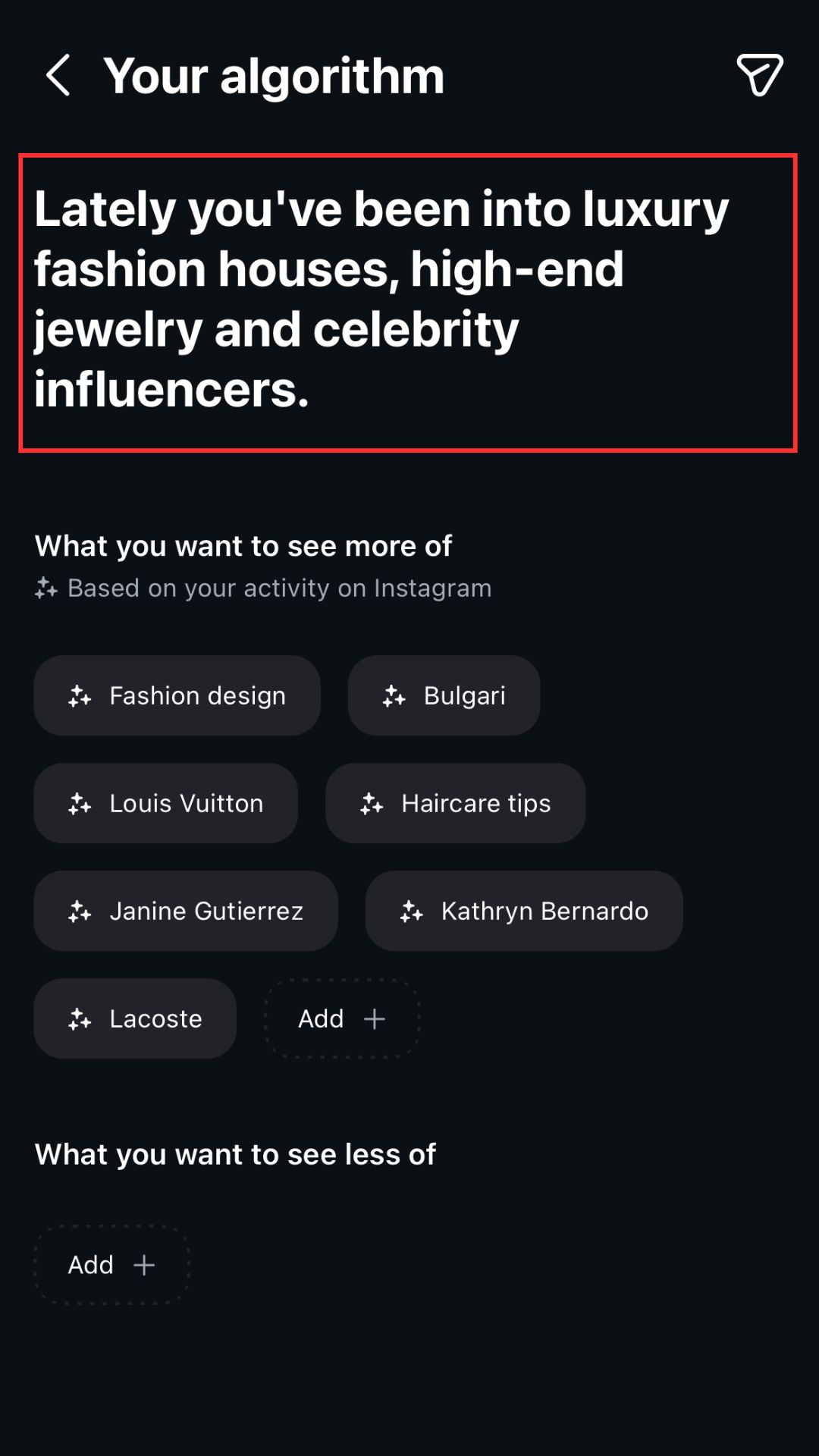
Curate your content.
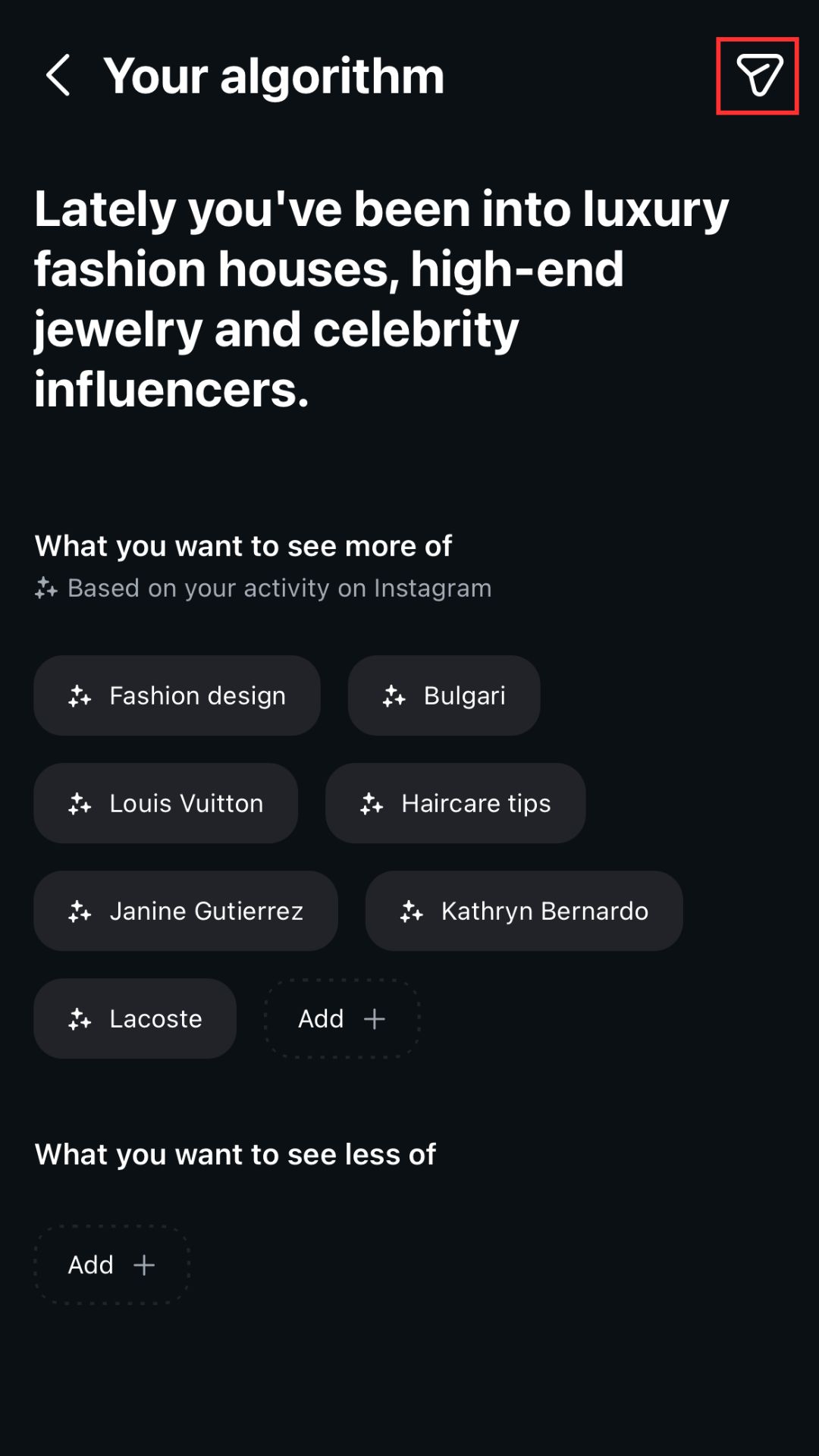
Below Instagram’s description of your current interests, you’ll find a section that categorizes “what you want to see more of.”
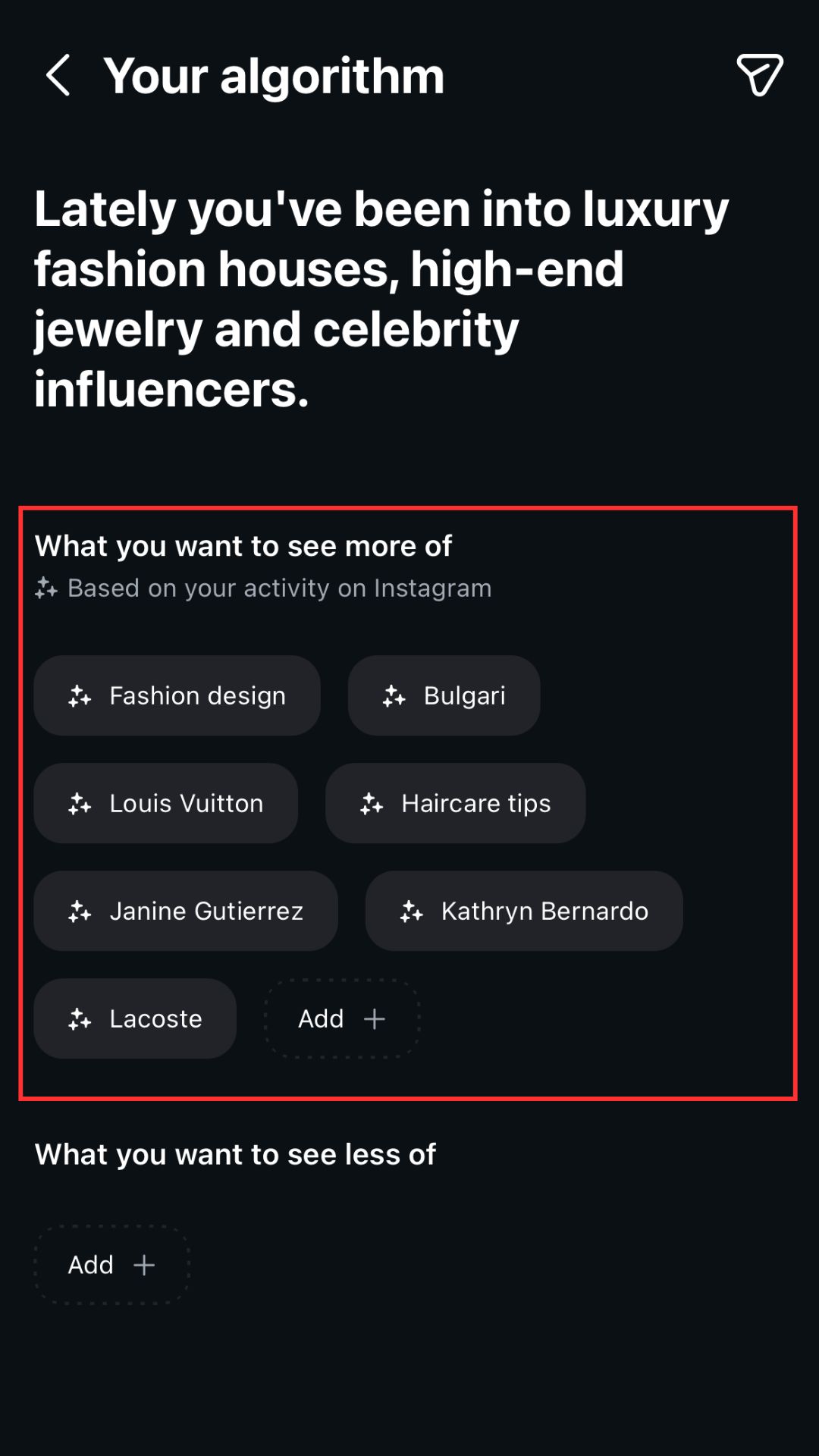
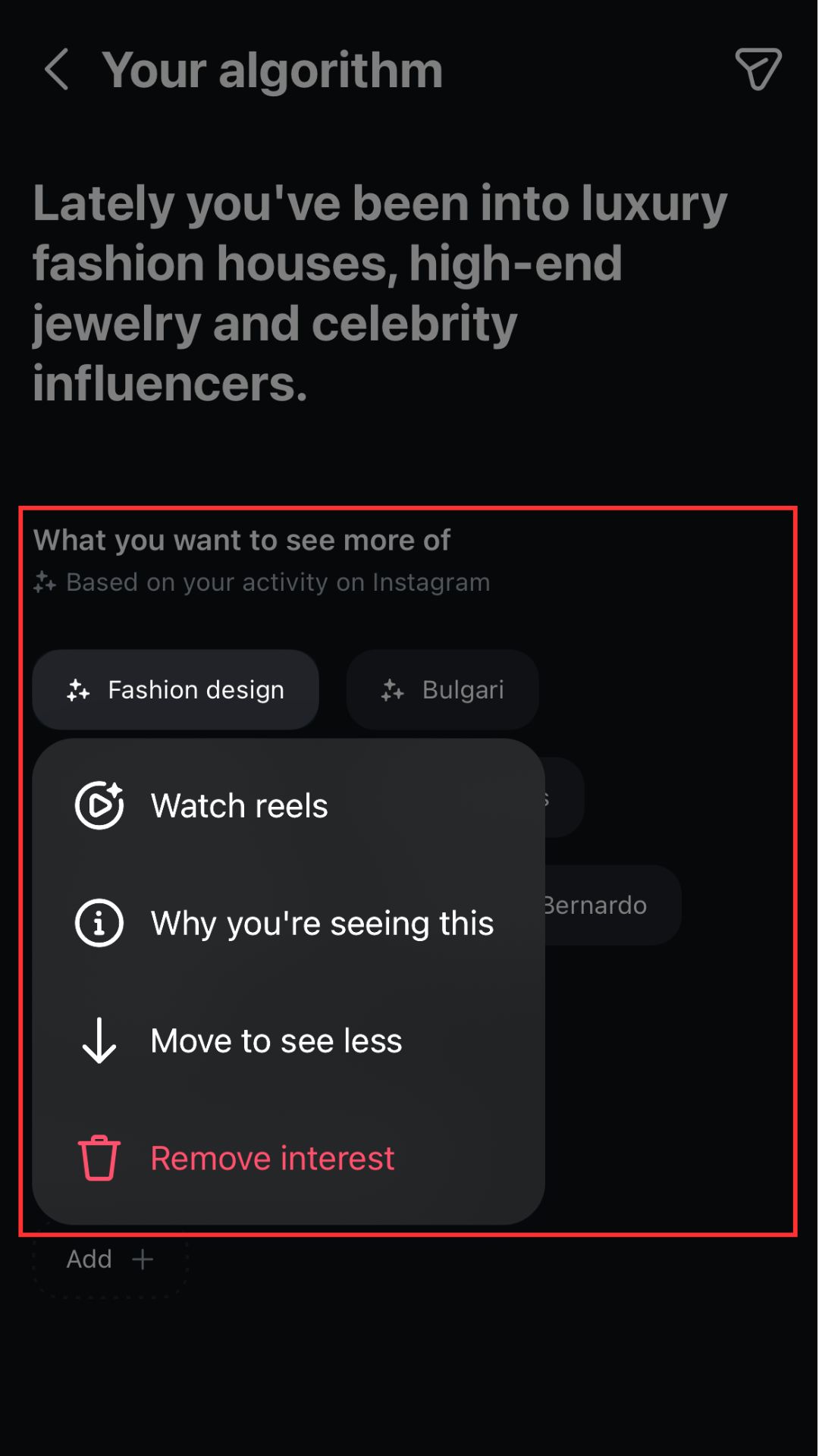
You will automatically receive recommendations from Instagram. Upon clicking on one, an option to watch reels specifically related to the particular topic will appear. You have the choice to remove the platform’s suggestions, too, and to input your own answers.
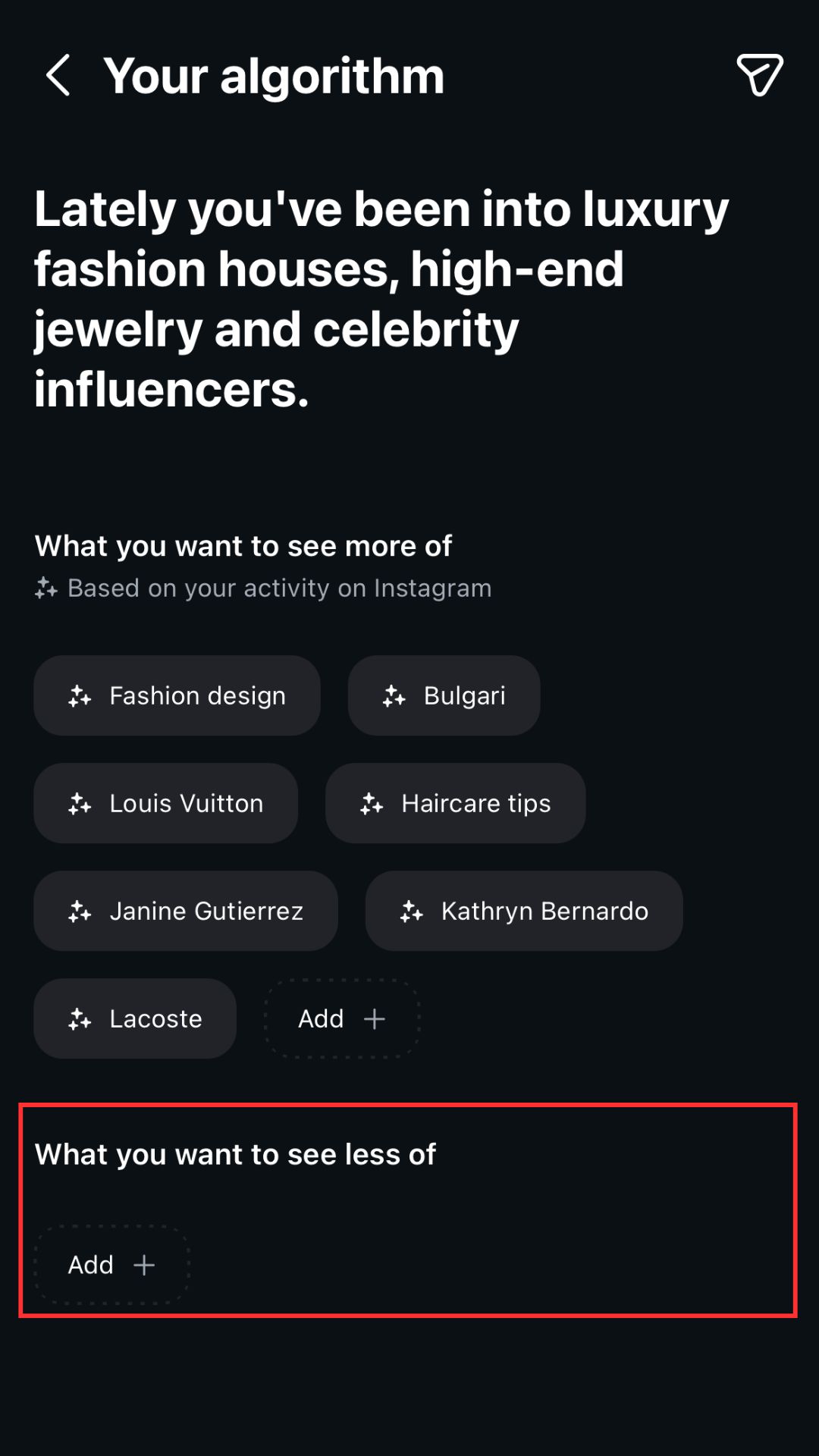
There’s a section for “what you want to see less of” as well. Unlike the previous, this category starts off blank, and you would have to manually type the topics that you deem fit. These features might not completely override the algorithm, but they do make for a more tailored Instagram experience.
Share it on your Instagram story!
Hop on the bandwagon, and click the share icon on the upper right. This allows your friends and followers to see your algorithm, and find theirs more easily.

Kyla Villena loves a good lip gloss and a trip to the art gallery. She is Preview's beauty girl, who doubles as a self-proclaimed motivational speaker.